School management built around classes, not courses
Class and section structure, subject-wise exams, a parent portal, fee installments with online payment, and live classes that record attendance - switched on only where you need them.
Switched on for a typical school
- Batch & Class Management
- Attendance & Geofencing
- School Exams & Report Cards
- Fee Installments & Billing
- Certificate Verification
- Timetable & Scheduling
- Communication & Alerts
Everything else stays hidden from your staff.
Sound familiar?
Marks live in spreadsheets
Teachers send Excel files and the office retypes them into report cards.
Parents ring the office
Fees due, attendance and results are only available by asking someone.
Fees tracked in a notebook
Who paid which installment gets reconstructed at the end of the month.
Online classes leave no record
A new meeting link for each class, and attendance noted by hand - if at all.
How it works for your school
- 1
Set up classes and sections
Create a program per class (Class 5, Class 10) and a batch per section, then assign class and subject teachers.
- 2
Admit students and link parents
Approve student sign-ups made with your join code, and link each child to one or more guardians who get their own login.
- 3
Run the school day
Attendance check-in, a weekly timetable for every section, and live classes that record who actually attended.
- 4
Collect fees
Add installments, record offline payments, or let parents pay online. Overdue installments are flagged for you.
- 5
Exams to report cards
Teachers enter subject-wise marks as drafts. Publish when ready and every student gets a report card.
What you get
Class levels and sections
Programs per class, batches per section, with capacity enforced.
Subject-wise exams
Term exams, marks per subject, draft-to-published results and report cards.
Guardian portal
One parent login for all their children: attendance, fees, results.
Fee installments and online payment
Partial payments, overdue flags, and Razorpay checkout for parents.
Timetable
A weekly schedule per section, with rooms and teachers.
Live classes with attendance
Start a class from the dashboard; attendance is calculated from time spent in it.
See the real product
Screenshots from our demo organizations, with sample data.
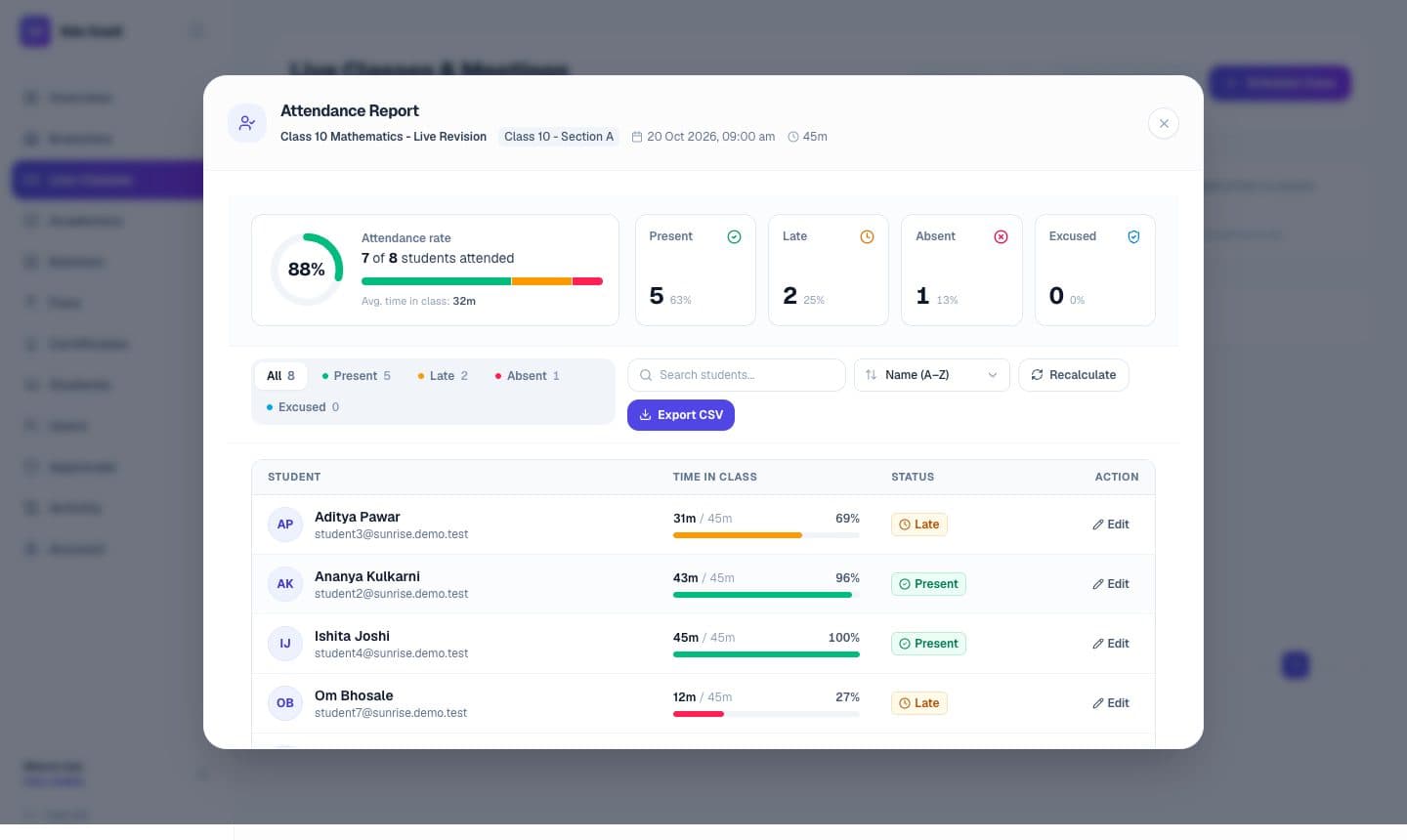
Attendance worked out from time spent in class
After a live class, the attendance report shows how long each student stayed and marks them present, late or absent. Teachers can override any row.
Real screenshot from a demo organization with sample data.
Questions from school owners
Yes. A guardian account can be linked to several students, and the portal shows each child separately.
Yes. Modules are switched on per institution, so your staff only see what you use.
Yes. Multi-branch support is optional; a single-campus school simply never enables it.